I bought a brand-new high-end PC from Cyberpuerta.
This wasn’t a “gaming PC.”
This was a beast.
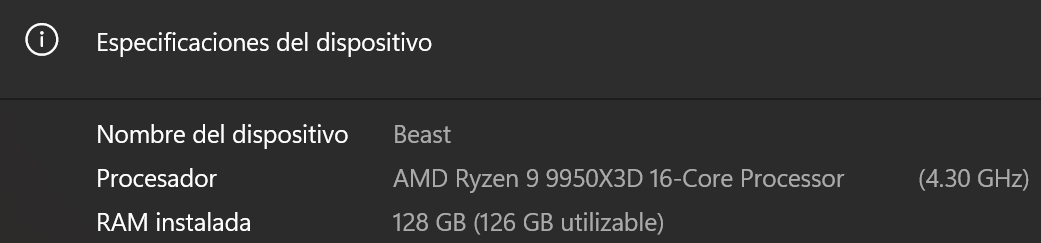
System Specs
- GPU: NVIDIA GeForce RTX 5090
- CPU: AMD Ryzen 9 9950X3D
- Motherboard: ASUS ROG Crosshair X870E Hero
- RAM:128 GB DDR5 (tuned, tweaked, doubted, blamed)
- PSU: 1600W 80+ Titanium
- UPS: APC Back-UPS Pro Gaming 1500VA
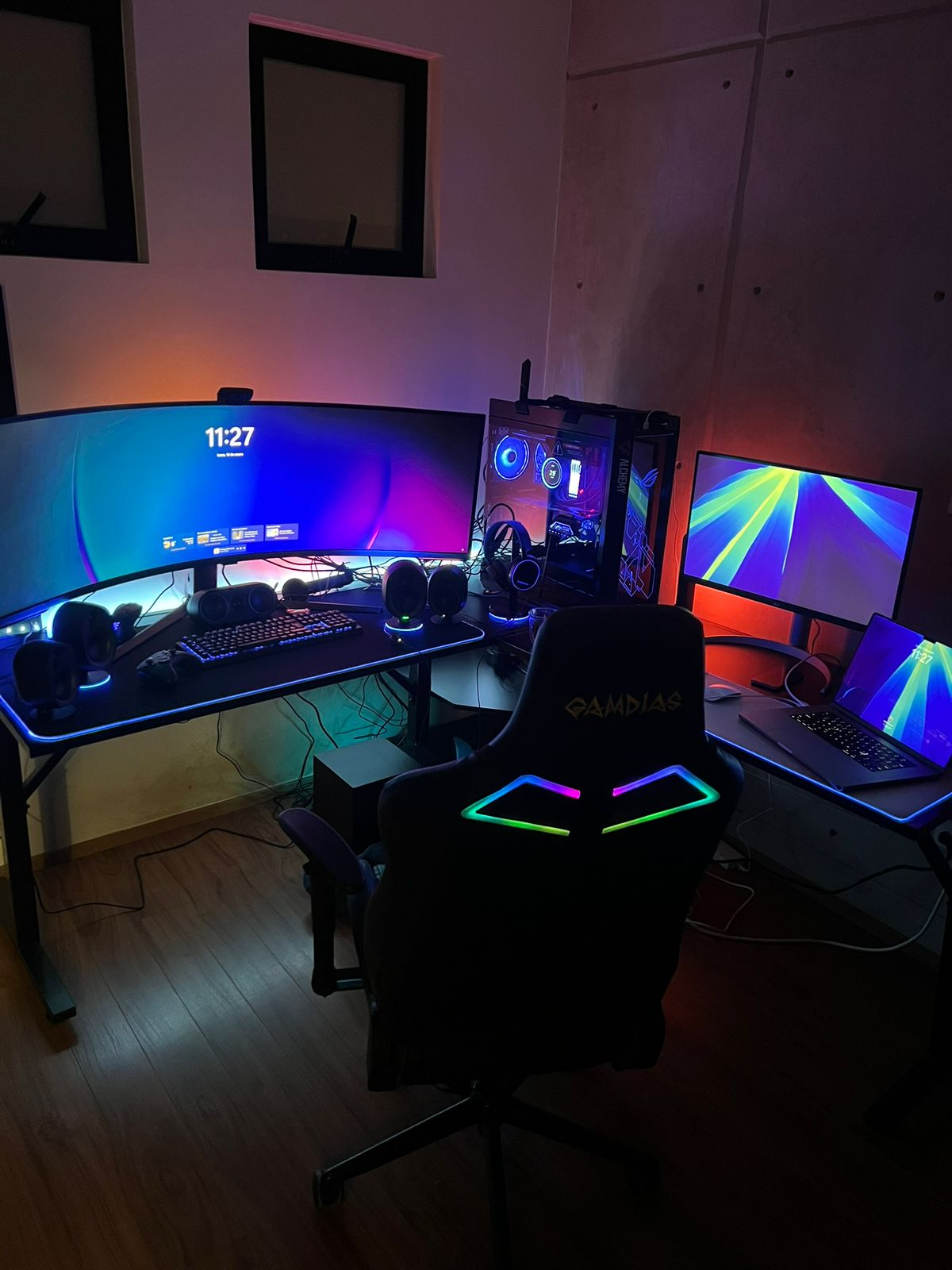
- Monitor: Samsung Odyssey Neo G9 57” (7680×2160)
This setup pushes more pixels than standard 4K.
It should have laughed at anything I threw at it.
Instead, it started throwing black screens at me.
Day 1: Welcome to the Void
From the moment it arrived:
- Screen goes black, especially during gameplay.
- Sometimes fans go to 100%.
- Sometimes Windows reboots.
- Sometimes audio keeps playing.
- Sometimes nothing responds.
- Sometimes it happens exiting a game.
- Sometimes just sitting at the desktop.
At one point, it even happened in BIOS.
When you see a black screen in BIOS, you stop blaming Windows and start blaming physics.
I was one click away from calling Cyberpuerta and saying:
“Yeah, this thing is defective. I want a replacement.”
I was ready to RMA a flagship GPU.
The Descent Into Madness
Naturally, I started with the obvious: update the driver.
That didn’t fix it.
What followed was a full-blown technical autopsy:
It didn’t help.
So I went deeper.
And deeper.
And deeper.
Here’s a partial list of what I did — in increasingly dramatic fashion:
- Switched between multiple NVIDIA driver versions
- Disabled G-Sync
- Disabled FreeSync
- Changed refresh rate (60Hz → 120Hz → 240Hz)
- Changed display input from DP → HDMI
- Limited FPS
- Uncapped FPS
- Adjusted power limits
- Set manual fan curves
- Removed NVIDIA App
- Removed MSI Afterburner
- Disabled overlays
- Disabled Windows memory integrity
- Changed Windows power profiles
- Switched PCIe from Auto to Gen 4
- Reset/update BIOS
- Disabled Precision Boost Overdrive
- Disabled Core Performance Boost
- Disabled ASUS AI Optimized tuning
- Disabled Core Flex algorithms
- Questioned my PSU
- Inspected the 600W 12V-2×6 cable like a forensic investigator
- Reseated the GPU
- Moved devices off UPS battery outputs
- Checked Event Viewer for nvlddmkm and Kernel-Power errors
- Tweaked RAM frequency
- Disabled and re-enabled EXPO
- Toggled DDR5 Nitro Mode
- Changed RAM timings
- Questioned if Bluetooth was somehow involved
- Blamed Fortnite
- Blamed Unreal Engine
- Blamed Samsung
- Blamed electricity
- Blamed myself
- I even blamed my dog for peeing on my computer. I’m not making this up — this actually happened.
At one point, I convinced myself the RAM was unstable.
Another time, I was sure the PCIe slot was dying.
Then it would run flawlessly for hours.
Or days.
Just long enough to give me hope.
Then:
Black screen.
Again.
The Pattern That Saved Me
The crashes often appeared during heavy load — but more frequently during power and display transitions.
Cyberpunk at max settings in 7680×2160? Stable. Usually.
Fortnite? Usually stable… until exit.
The failures mostly happened during transitions:
- Entering games
- Exiting games
- Driver resets
- Display reinitialization
- Power state changes
It wasn’t raw power instability.
It was software state corruption.
The Surgical Fix: DDU
Instead of stacking another driver over another half-broken install, I did what I should have done earlier:
- Boot into Safe Mode
- Run Display Driver Uninstaller (DDU)
- Remove every trace of NVIDIA drivers
- Block Windows from auto-installing its own
- Install a clean driver — 580.88
- No NVIDIA App
- No Afterburner
- No overlays
- BIOS left conservative
- RAM left calm
- Nitro Mode left alone
Then came the test.
Cyberpunk benchmark. Stable 120FPS at 7680×2160. Psycho settings. Path tracing enabled.
15+ minutes gameplay.
Exit clean.
Fortnite session.
Exit clean.
Another session.
Still clean.
No black screens.
No reboots.
No fans screaming like a jet engine.
Stable.
Actually stable.
The Real Culprit
The GPU wasn’t dead.
The PSU wasn’t weak.
Cyberpuerta didn’t ship me defective hardware.
The real issue was:
- Stacked driver installs
- Residual driver state
- Aggressive motherboard boost logic
- Complex display pipeline transitions
- A massive ultrawide resolution
- And modern GPU software being… fragile
DDU wasn’t magic.
It was a hard reset of a polluted graphics stack.
The Near-RMA Moment
I was dangerously close to:
- Opening a warranty claim
- Blaming Cyberpuerta
- Shipping back a perfectly good RTX 5090
- Declaring war on silicon
All because the driver ecosystem had quietly rotted underneath.
That’s not a hardware defect.
That’s a software hygiene failure.
A Venomous Note to NVIDIA
Here’s the uncomfortable truth:
If flagship GPUs require Safe Mode surgery with a third-party cleanup utility to maintain stability, something upstream is wrong.
Consumers should not need to:
- Manually purge driver remnants
- Disable official NVIDIA software
- Avoid updating drivers
- Neutralize “AI” motherboard tuning
- Fear new driver releases
Just to avoid black screens.
NVIDIA makes extraordinary hardware.
But when the safest advice becomes:
“Don’t update unless you absolutely have to.”
That’s not bleeding-edge innovation.
That’s defensive computing.
For now, the system is stable.
No overlays.
No auto-optimizers.
No magic AI profiles.
No Nitro-mode paranoia.
And Cyberpuerta won’t be receiving a dramatic RMA email.
This time.